


AUREM

AUREM — Practical knowledge, built for everyday people.

AUREM / BUILT WITHIN

BUILT
WITHIN.

Practical knowledge, built for everyday people.
No empty pep talks. Knowledge you can put to use.

01 / EVERYDAY CHOICES

Every choice
has a cost.

Money, time and trial and error all count.
Understand the return and the tradeoffs.

02 / BUILDING OVER TIME

What can your
effort build?

Skills, a body of work and reusable results.
Understand what your effort can leave behind.

03 / KNOWLEDGE YOU CAN USE

Understand why.
Learn how.

Concrete examples explain a method,
when it applies and where its limits lie.

04 / RETURN TO LIFE

Give your decisions
a basis.

Save useful knowledge.
Return to the method when a similar question comes up.

BUILT FOR EVERYDAY PEOPLE

Practical knowledge,
built for everyday people.

No empty pep talks. Knowledge you can put to use.

Money needs a budget. Time matters. Trial and error has a cost. How do you choose a job, decide what to learn, judge a purchase, or know when to keep going and when to stop?

AUREM starts with the questions everyday people face. Understand useful knowledge about work, money and choices: why something works, how to assess it, and when it applies to you.

Explore three practical guides

01 / KNOWLEDGE YOU CAN USE

Every guide must
address a real problem.

Building your first resources, assessing a career opportunity, or spotting a purchase that only looks like good value. Learn the reasoning, method and tradeoffs together.

FROM THE APP · OPEN A COLLECTION

3 COLLECTIONS / 15 CARDS
  1. 衡量一份工作,也看看它能留下什么能力。

  2. 信誉,是机会到来之前的积累。

  3. 一份工作的价值,也包括它能打开什么机会。

  4. 把能力变成作品,才能让价值被更多人看见。

  5. 原始积累,也在积累能力、信誉和被信任的理由。

  1. 人生的战略,应该由自己来写。

  2. 买房、结婚、换城市,都该服务于你的人生方向。

  3. 一项选择的成本,也包括它占用的自由。

  4. 年轻时,最值得加码的是自己。

  5. 先找到自己的事业方向,再安排人生的步调。

  1. 花钱之前,分清自己喜欢,和希望别人羡慕。

  2. 价格可以比较,满足感要由自己判断。

  3. 拥有的成本,远不止买下时的价格。

  4. 消费的标准,应该由生活需要来定。

  5. 不再为别人的眼光升级生活,也是自由。

Hover to lean · Click to open · Pick a card to read

Original app imagery and Chinese notes · Web presentation

AUREMAUREM editorial note

Original app imagery and Chinese notes · Web presentation

Read the practical guide ↗
Work & accumulation01

How do you assess a job’s return beyond the salary?

Compare income, time costs, transferable skills and work that demonstrates your ability. Find out what a job can help you build alongside its immediate pay.

Read the full guideCollapse the guide

The reasoning: what you retain

A job can give you income today and resources you retain after leaving. Assess the latter with three questions: can you use the skills elsewhere, can you demonstrate the results, and can your reputation help create another opportunity?

The method: ask for evidence of growth

When comparing two jobs, list take-home pay, commuting and overtime, specific skills and work you could show. A claim of growth should connect to actual projects, feedback and results, rather than a promise made during recruitment.

The limits: immediate needs matter

If living costs are already difficult to cover, immediate income deserves more weight. An unsupported promise of future growth does not make low pay and high demands worthwhile. Skills, work and contacts are not guaranteed future income either; assess each separately.

Related readingRelated discussion: 财富自由革命之路 — early accumulation ↗

The explanations and examples above are AUREM editorial work, not a source speaker’s exact words.
Choices & tradeoffs02

Which costs are easiest to miss in a major decision?

Look beyond the initial expense to ongoing commitments, the difficulty of changing course and the other opportunities you would give up.

Read the full guideCollapse the guide

The reasoning: more than an initial expense

A decision has an initial cost, ongoing commitments of money, time or responsibility, and opportunities you forgo. An apparently inexpensive choice may still demand your attention over time.

An example: moving cities

Compare rent, commuting, moving expenses, your support network and the cost of changing course alongside salaries. Higher pay does not necessarily leave you with more available money or time. Listing these factors together makes the tradeoffs more concrete.

The application: consider reversibility

Small, reversible choices may allow a limited trial. For decisions that are difficult to reverse, establish the important facts first. Understanding costs helps clarify a choice; it does not require every decision to minimize spending or exclude emotional value.

Related readingRelated discussion: 财富自由革命之路 — work, choices and wealth ↗

The explanations and examples above are AUREM editorial work, not a source speaker’s exact words.
Spending & everyday life03

What matters besides the price of a purchase?

Frequency of use, upkeep, time and alternatives can all change a purchase’s value. Assess whether it is worthwhile separately from whether you can afford it.

Read the full guideCollapse the guide

The reasoning: price is only the beginning

The price is the initial cost. Maintenance, supplies, space and time may add costs later. Identify the problem a purchase solves and estimate how often you would use it.

The method: compare alternatives

A cheap item you rarely use may offer less value than something used regularly over a long period. Consider whether something you already own, renting or another alternative could meet the same need, rather than only comparing prices within a category.

The limits: enjoyment counts too

Enjoyment has value; every purchase does not have to improve productivity. The same purchase can mean different things to different people. Be clear about why you want it and which costs you are willing to accept.

Related readingFurther reading: The Art and Science of Spending Money ↗

The explanations and examples above are AUREM editorial work, not a source speaker’s exact words.
SIX AREAS OF EVERYDAY LIFE

Everyday problems deserve
clear explanations.

01

Independence & Choice

What do you want from a choice, and what would it cost?

02

Learning & Judgment

Is a conclusion based on facts or an unchecked assumption?

03

Action & Creation

How can effort produce results you can demonstrate and reuse?

04

Body & Discipline

How can you manage your energy so a plan remains workable?

05

Wealth & Freedom

What can skills and work add to your future options?

06

Patience & Resilience

What deserves continued effort, and what needs to change?

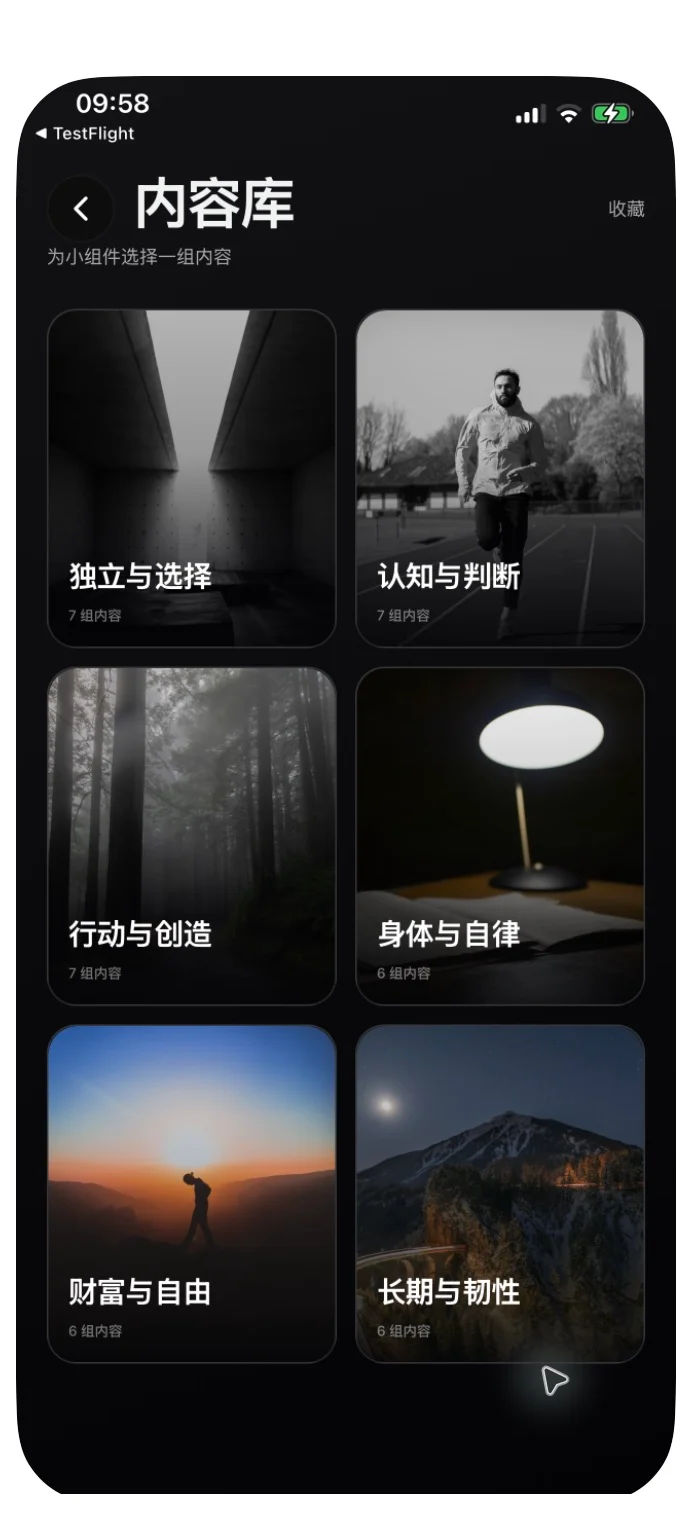
02 / READ. UNDERSTAND. KEEP.

Understand the problem.
Keep the method.

Browse by topic and find knowledge for a real question. Save the collections you may need again and return when a similar situation comes up.

Development builds on a real iPhone · Chinese interface · View full screen

03 / KEEP THE METHOD CLOSE

Keep a useful method
on your Home Screen.

Choose a key point you want to remember and a widget style you like. Adjust its font, colors or background, save it, and add it to your iPhone Home Screen. Tap a content widget to continue reading.

New Lock Screen widgets · Take a look ↓

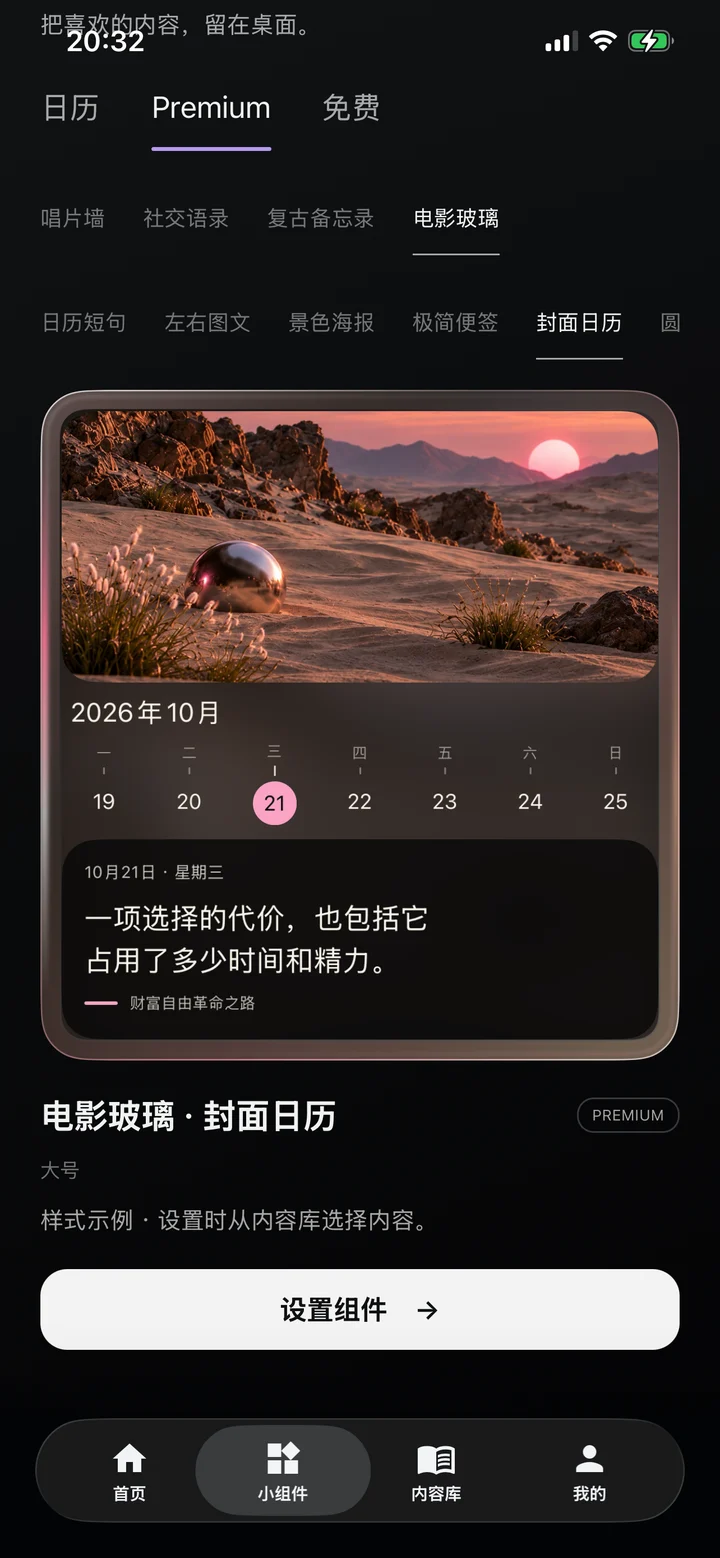
Four everyday styles

Calendar Quote · Split Layout · Scenic Poster · Minimal Note

Different layouts for the points you want to keep in view.

Return Calendar

Free when signed in · Small / medium / large

See the days you came back, using confirmed sign-in dates.

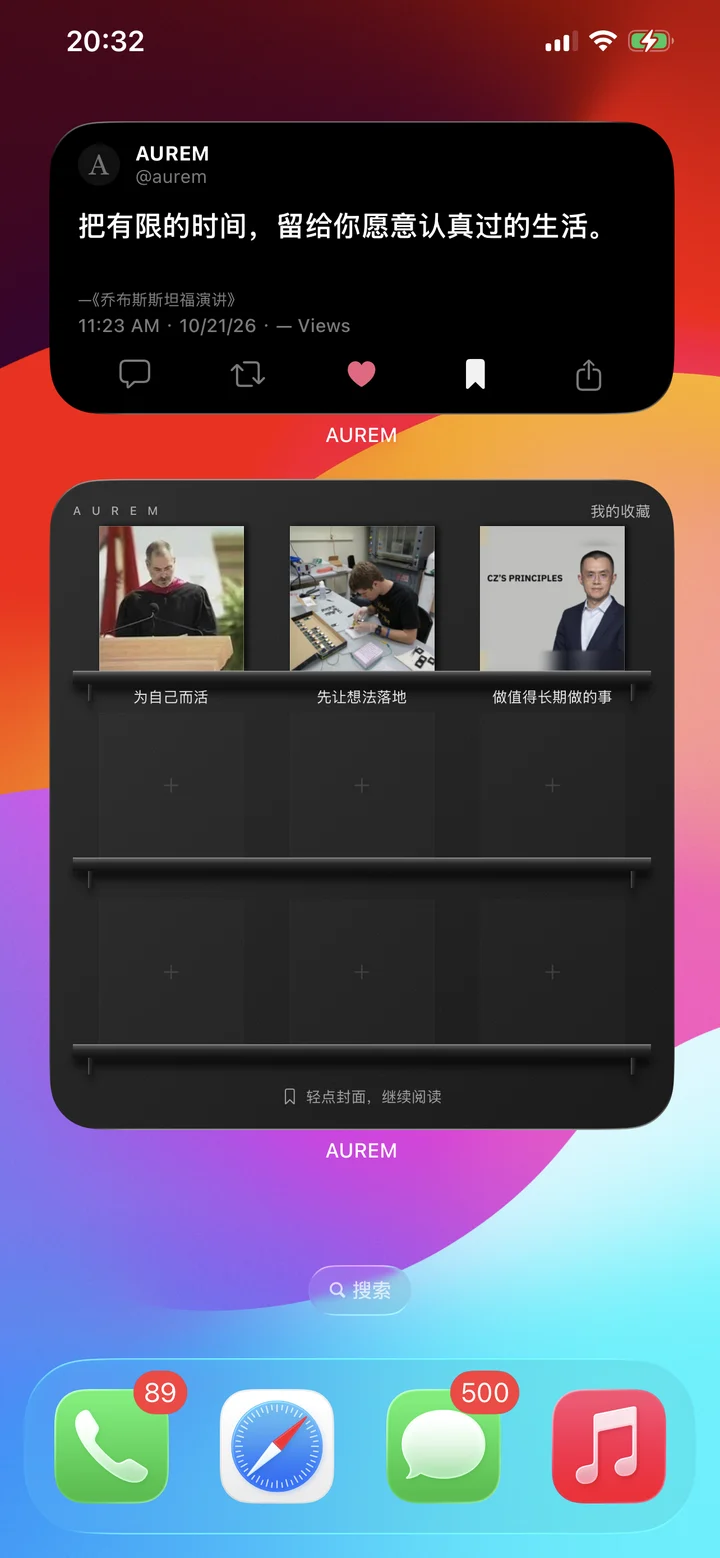
Saved Collection Shelf

Premium · Large · Nine positions

Put saved collections on your Home Screen. Tap a cover to keep reading.

Social Quote & Retro Memo

Premium · Small / medium / large

Choose another way to present the points you want to remember.

  1. 01

    Choose content and a style

    You can also discover a collection at random during content widget setup.

  2. 02

    Save the configuration

    Find and edit it in your widget gallery.

  3. 03

    Add it to your Home Screen

    Follow the in-app instructions and select the configuration.

Saving a configuration does not add it to the Home Screen automatically. iOS schedules updates, which may take time.

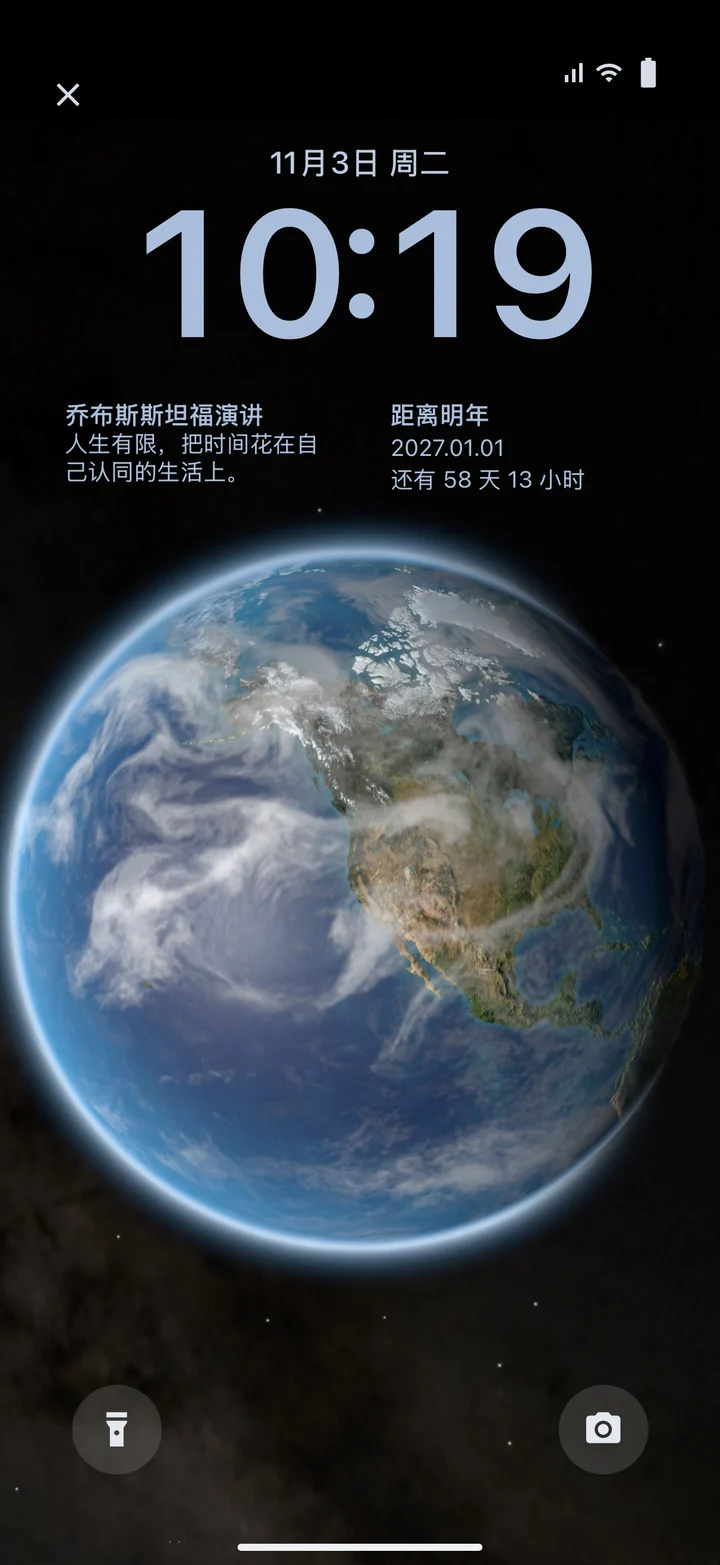
NEW / ON YOUR LOCK SCREEN

A glance to remember.
A tap to keep reading.

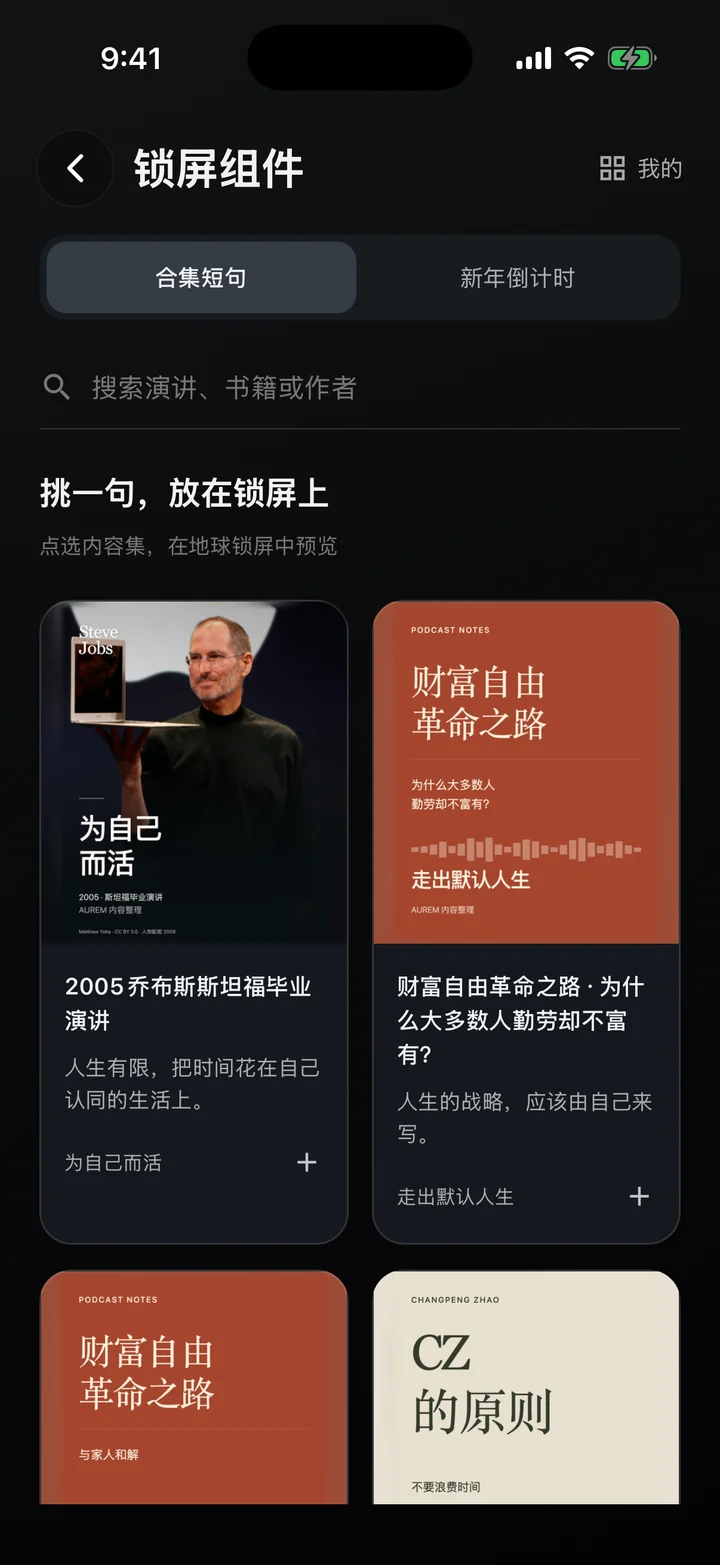
Keep a collection title and quote on your Lock Screen, alongside a separate New Year countdown. Tap a quote to continue reading its collection.

Keep a fixed quote, or choose daily or hourly rotation. iOS controls refresh timing, type and layout.

iPhone 17 Pro · iOS Simulator captures · Current development build, Chinese interface. The Earth view is a static in-app preview; your iOS settings determine the actual Lock Screen appearance. · View full screen

04 / FREE & PREMIUM

Start with everyday styles.
Choose Premium when you need more.

The four everyday styles are free, with unlimited saved basic configurations. Premium adds Saved Collection Shelf, Social Quote and Retro Memo.

Free and Premium features
FeatureFreePremium adds
Reading & ordinary saved itemsRead and save free contentAlso included
Four everyday stylesUnlimited basic configurationsAlso included
Return CalendarSigned in · Small / medium / largeAlso included
Saved Collection Shelf—Large · Nine positions
Social Quote & Retro Memo—Small / medium / large

Sign in to read, save collections and create widget configurations. Free features do not require Premium. Sizes vary by style. See the app for subscription plans and prices.

AUREM / COMING TO IPHONE

Understand what matters
before you decide.

AUREM is coming to iPhone. You will be able to download it here when it launches.

Coming soon · iPhone

Public downloads are not available yet.

Back to the library ↑

Before you begin.

What kind of content does AUREM offer?

Practical knowledge for everyday people about work, money, choices and building resources over time. The first practical guides explain a problem, the reasoning, a method and its limits. Sources and AUREM editorial content are labeled separately.

Are these direct quotations?

Direct quotations and edited notes are labeled separately. Methods and examples in AUREM guides are editorial additions, not a speaker’s exact words.

Do I need to sign in?

The public guides on this website do not require registration. Reading, saving collections and creating widget configurations in the app require an account. Free features do not require Premium.

Do I have to use widgets?

No. You can read and save collections in the app. Widgets help you remember key points and return to their full explanation.

Which widgets are free?

Calendar Quote, Split Layout, Scenic Poster and Minimal Note are free, with unlimited saved basic configurations. Return Calendar is free when signed in. Saved Collection Shelf, Social Quote and Retro Memo require Premium. The shelf is large only.

What does Return Calendar record?

Confirmed sign-in dates for the current account. It does not measure reading time, completed learning or a separate offline check-in.

Why did my saved widget not appear?

Saving creates a configuration in AUREM. Add an AUREM widget on your iPhone Home Screen, then select that configuration. The app includes instructions.

Will edits appear immediately?

The in-app preview and Home Screen update are separate. iOS schedules updates, so changes may take time. Rotation options depend on the selected style.

Can widgets work without a connection?

Prepared content can display locally while its authorization is valid. Downloads, content updates and access verification require a connection. Premium widgets show a message when access expires or needs verification.

Will saved content disappear when Premium expires?

Saved collections and configurations remain. Premium widgets show an expiry or verification message as appropriate, and eligible styles become available again when valid access is restored.

How do I restore or cancel a subscription?

Use Restore Purchases in the app to restore eligible access. Manage Apple subscriptions in your Apple account’s subscription settings. Removing AUREM or deleting its account does not automatically cancel an Apple subscription.

Explore the library ↗ Light view